Create an Account
1
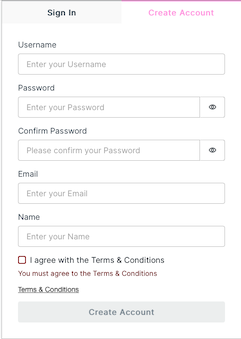
To create an account, go to https://app.qr-contest.com and select Create Account in the top tab.
2
Enter a Usename, Password, Email and your Name. You are required to accept the Terms & Conditions to use QR-Contest.
3
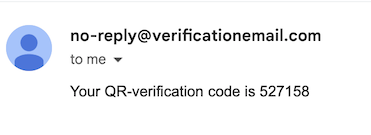
To verify your account, you will receive an email from no-reply@verficationemail.com - which is an Amazon service - that contains your verification code, e.g.:
4
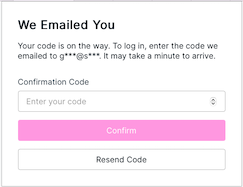
Enter you verification code on the next screen that will appear after you click and press
5
Your account is now created. To manage your account, go to the Home tab and choose the menu in the upper right, then Edit Profile.