Contests Tab

The Contests tab is used to create or show your contests. This is the starting point for you to create your contests.
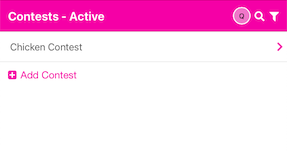
You may choose the plus sign Add Contest to create a new Contest. After clicking the plus sign, you enter the Contest name you would like to use in the empty text box. Press tab or return to save the Contest name. Next, click on the Contest name to take you to the details of the contest.
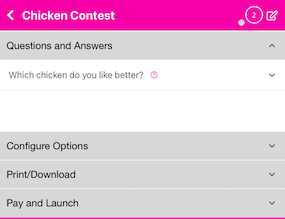
You may add Questions and Answers, then optionally Configure your Contest presentation, print sample output and ultimately pay for your Contest to go live. See more here.
All of your Contests will be listed here. You may also use the magnifying glass in the upper right corner to search for a specific Contest. There is also a filter icon to allow you to choose between viewing Active and Archived Contest. You may Archive a Contest by clicking on the Contest name, then choosing the Edit icon in the upper right. Archive will be a choice on that edit screen